
MessageBox
A message with buttons from the command line
- Version
- 1.9.0.0
- System
- Windows, 32-bit (runs on 64-bit too)
- Source
- github.com/pedromagician/CMD_MessageBox
Download MessageBox136 kB
No installation: unzip anywhere (ideally into a folder on your PATH) and run it from the command line or a batch file.
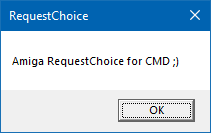
MessageBox shows the classic Windows message box from the command line. Useful in scripts and installers when you need to tell the user something or ask yes/no. It prints the pressed button to the output and can also return it as an exit code.
Features
- Title and message, multiple lines with
\n, Unicode via\u{XXXX}. - Icon: information, question, warning, error or none.
- Buttons OK, OK/Cancel, Yes/No, Yes/No/Cancel, with custom labels and a default button.
- Monitor selection and window placement.
- Windows MessageBox style return codes (
-wrc) and a quiet mode.
Usage
MessageBox.exe -t "Hello" -m "This is a message."
MessageBox.exe -t "Info" -m "Line 1\nLine 2\nLine 3"
Store the answer in a variable:
@set "output="
@for /f "usebackq delims=" %%A in (`messagebox -message "yes or no" -button yesno`) do @set "output=%%A"
@echo output: %output%
Options
| Switch | Description |
|---|---|
-title, -t | Window title. |
-message, -m | Message text, supports \n and \u{XXXX}. |
-icon, -i | Icon: noicon, information, question, warning, error. |
-button, -b | Buttons: ok (1), okcancel, yesno (2), yesnocancel (3). |
-b1, -b2, -b3 | Custom button labels. |
-default, -d | Default button (1–3). |
-monitor, -mon | Monitor: Primary, Mouse, MousePointer or an index (0, 1, 2 …). |
-position, -pos | Placement: center, top, bottom, left, right, pointer, xy. |
-x, -y | Offset in pixels. |
-windowsReturnCode, -wrc | Windows MessageBox return codes. |
-quiet | No console output. |
-help, -h, -? | Help. |